Convert any file.Right on your iPhone. Nothing uploaded.
PDFs, photos, video, audio and 50+ formats. Plus OCR, transcription and metadata cleanup. Every conversion runs on your device. Free to start.
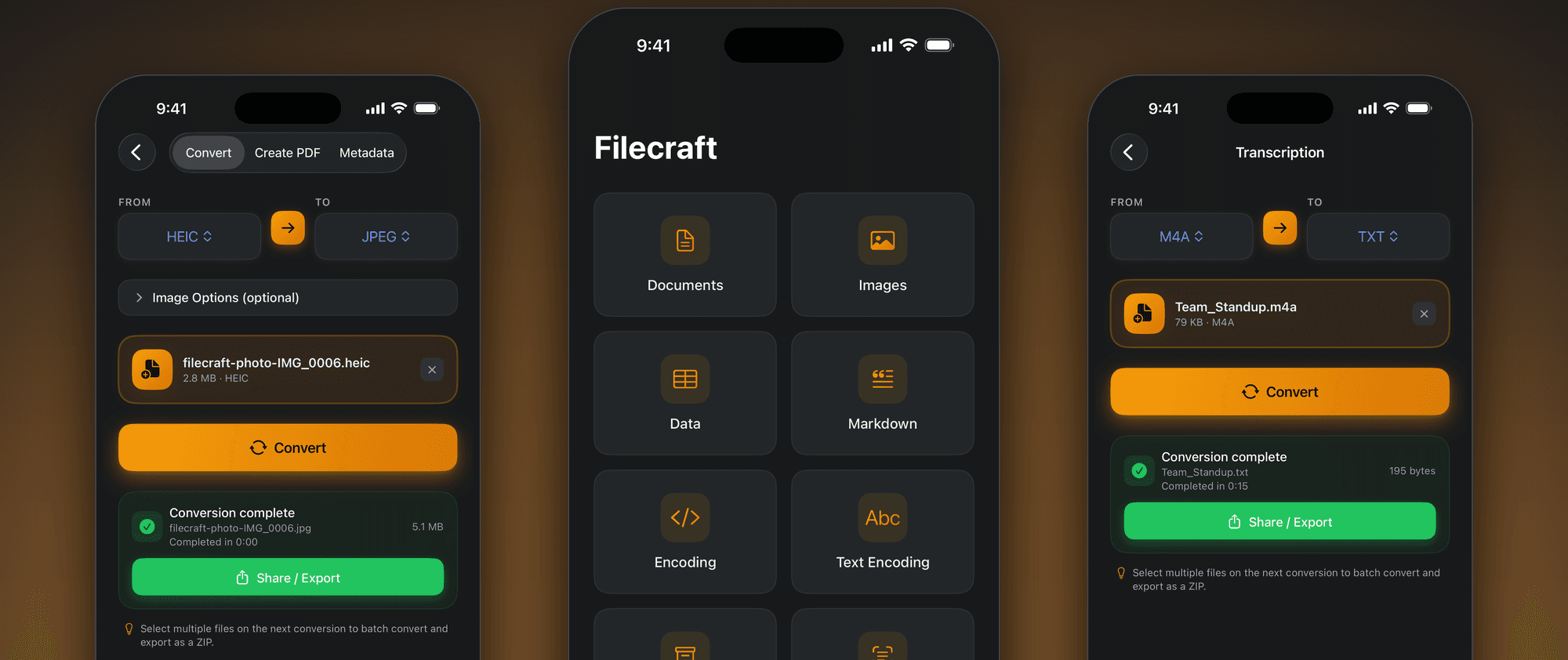
- On-device conversion
- Works offline
- No ads
- No account
Everything in one app
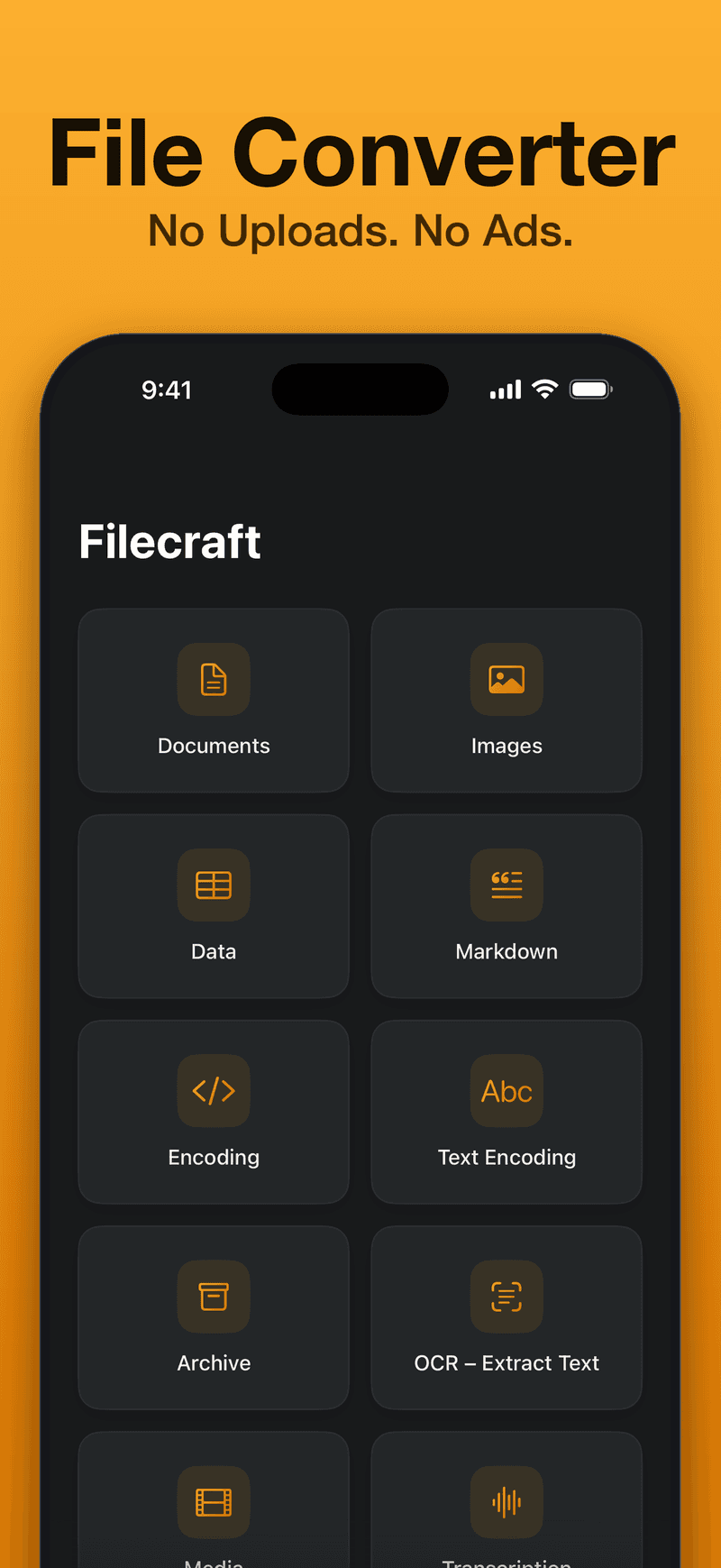
One converter for every file on your iPhone
50+ formats across documents, PDFs, photos, video, audio, data and archives, with tools for the jobs you actually have.
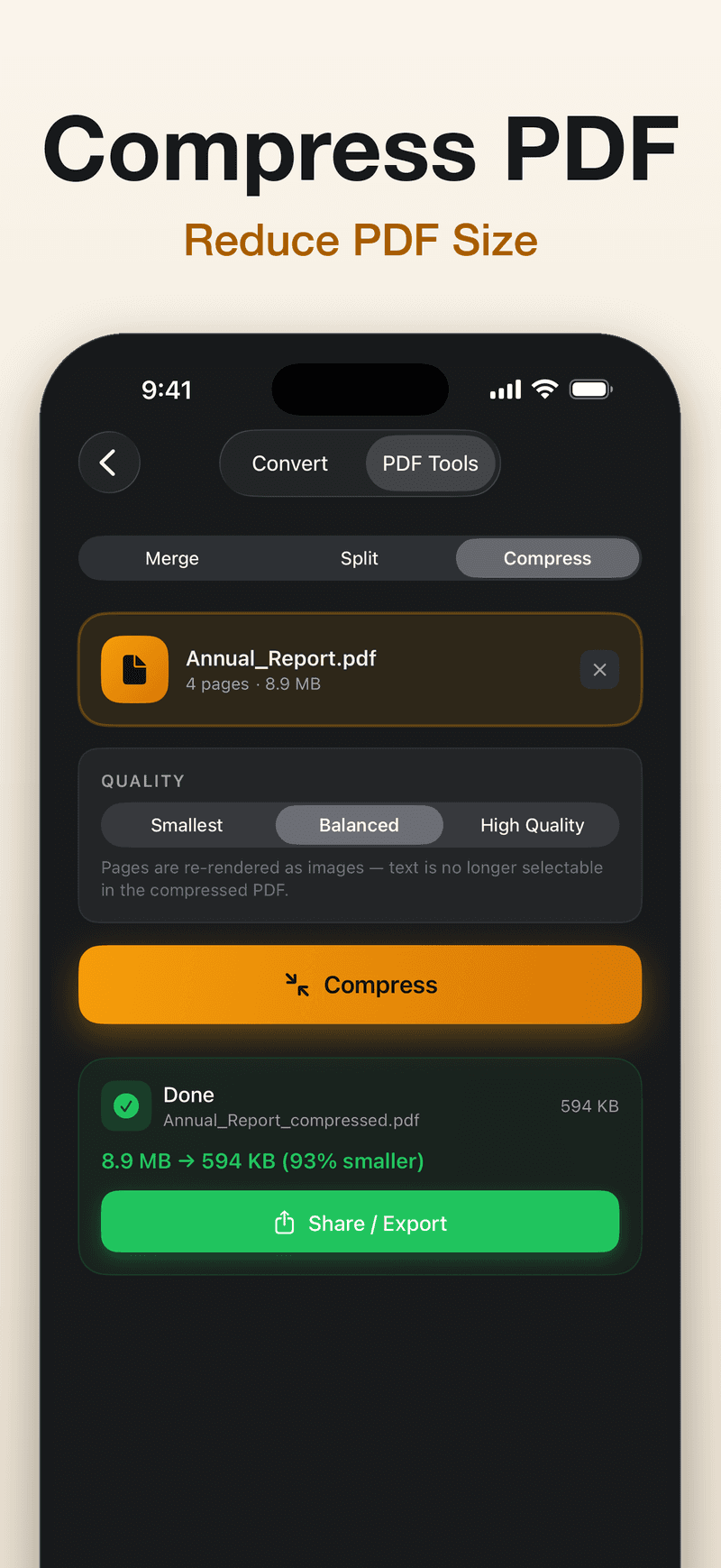
PDF tools
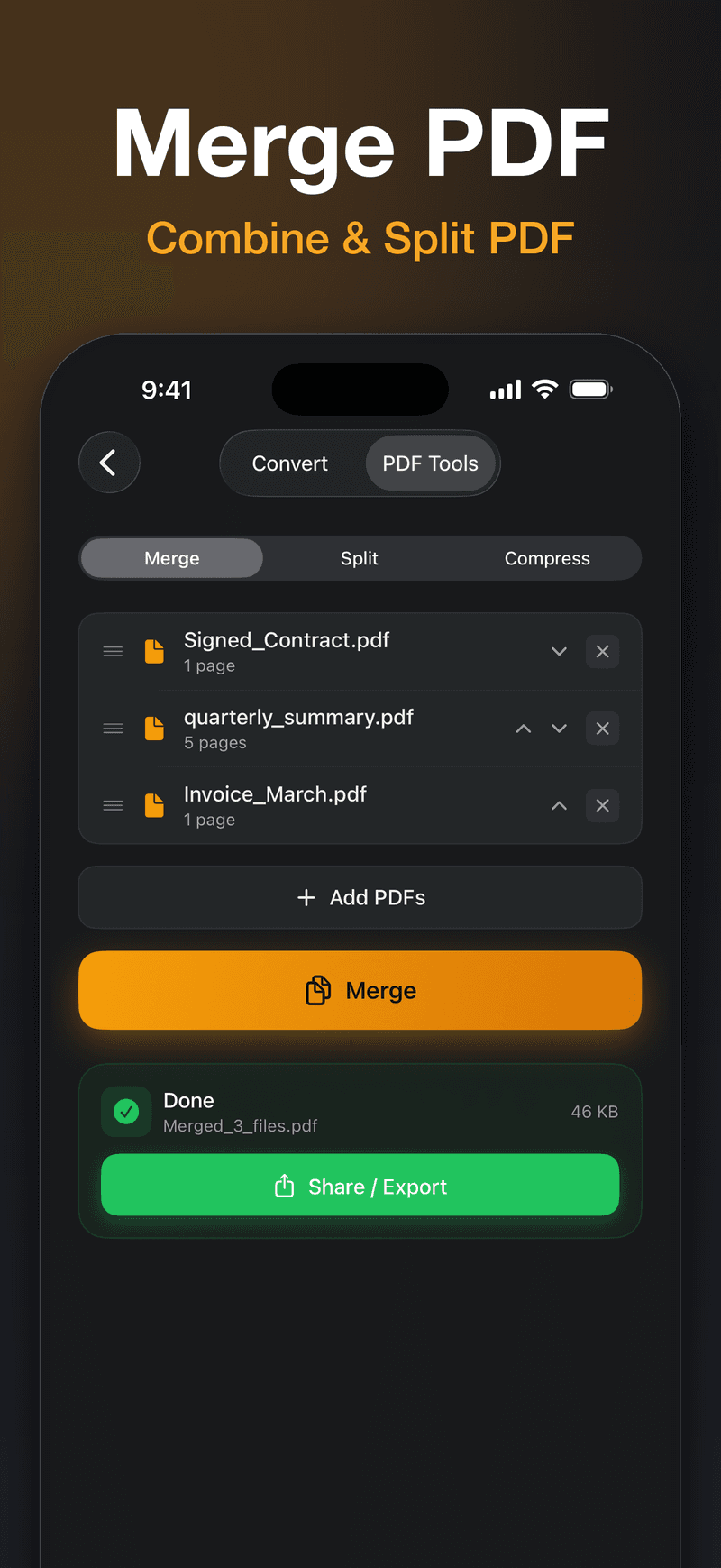
Compress · Merge · Split
Shrink a PDF for email, combine several into one, or pull out a page range. Reorder by drag and drop.
Photos & images
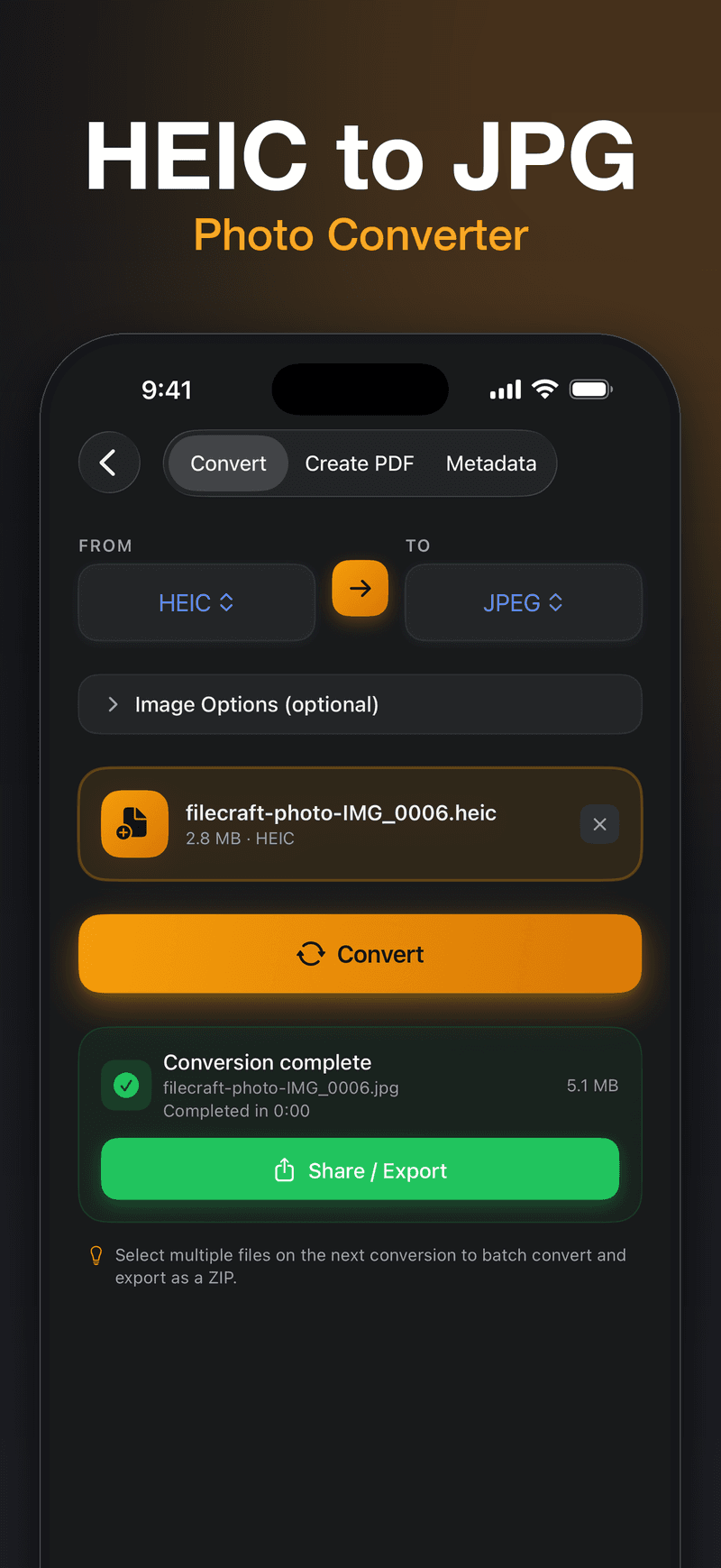
HEIC · JPEG · PNG · WebP · TIFF · SVG
Turn iPhone HEIC photos into JPEG, resize and compress, or hit a target file size.
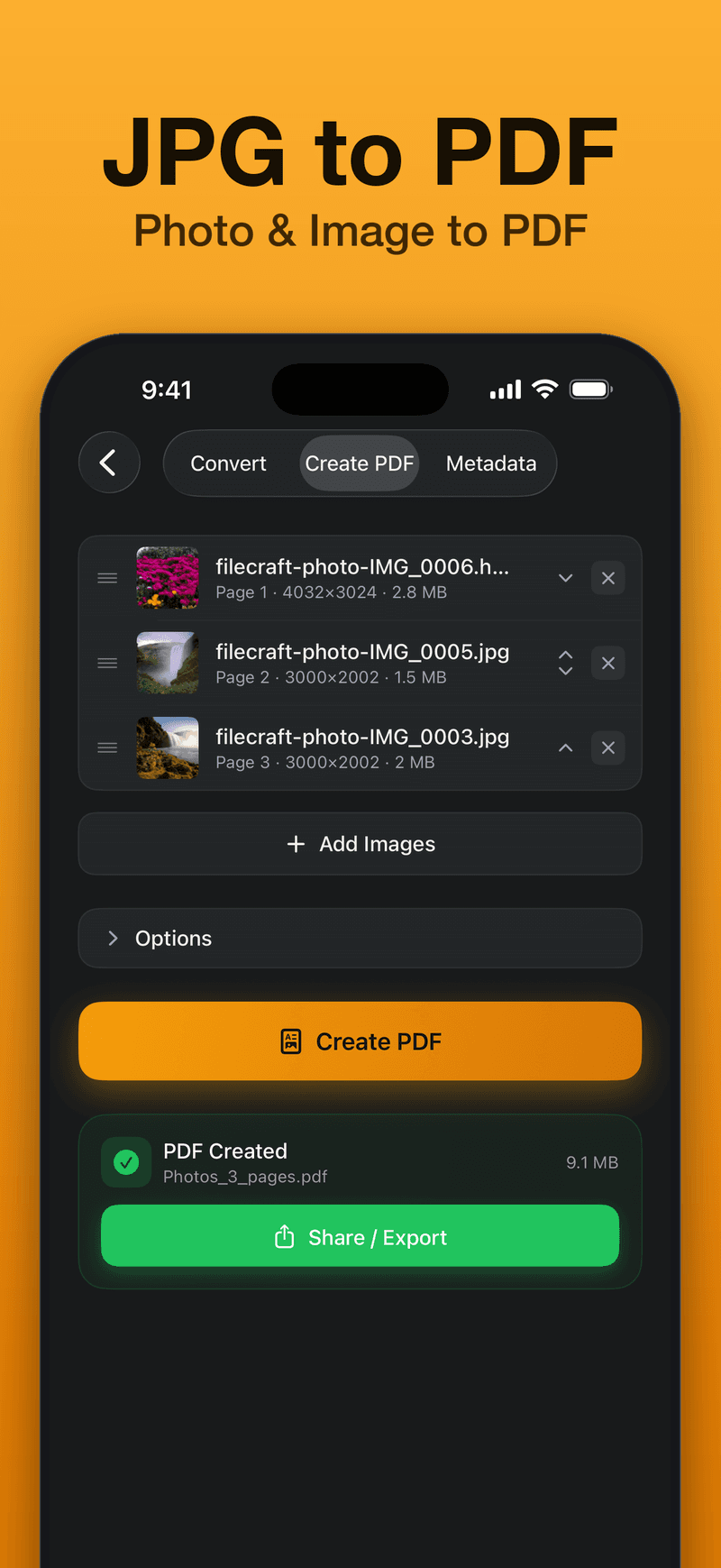
Scan & photos to PDF
Document scanner · JPG to PDF
Scan paper with edge detection and perspective correction, or combine photos into one PDF.
OCR text extraction
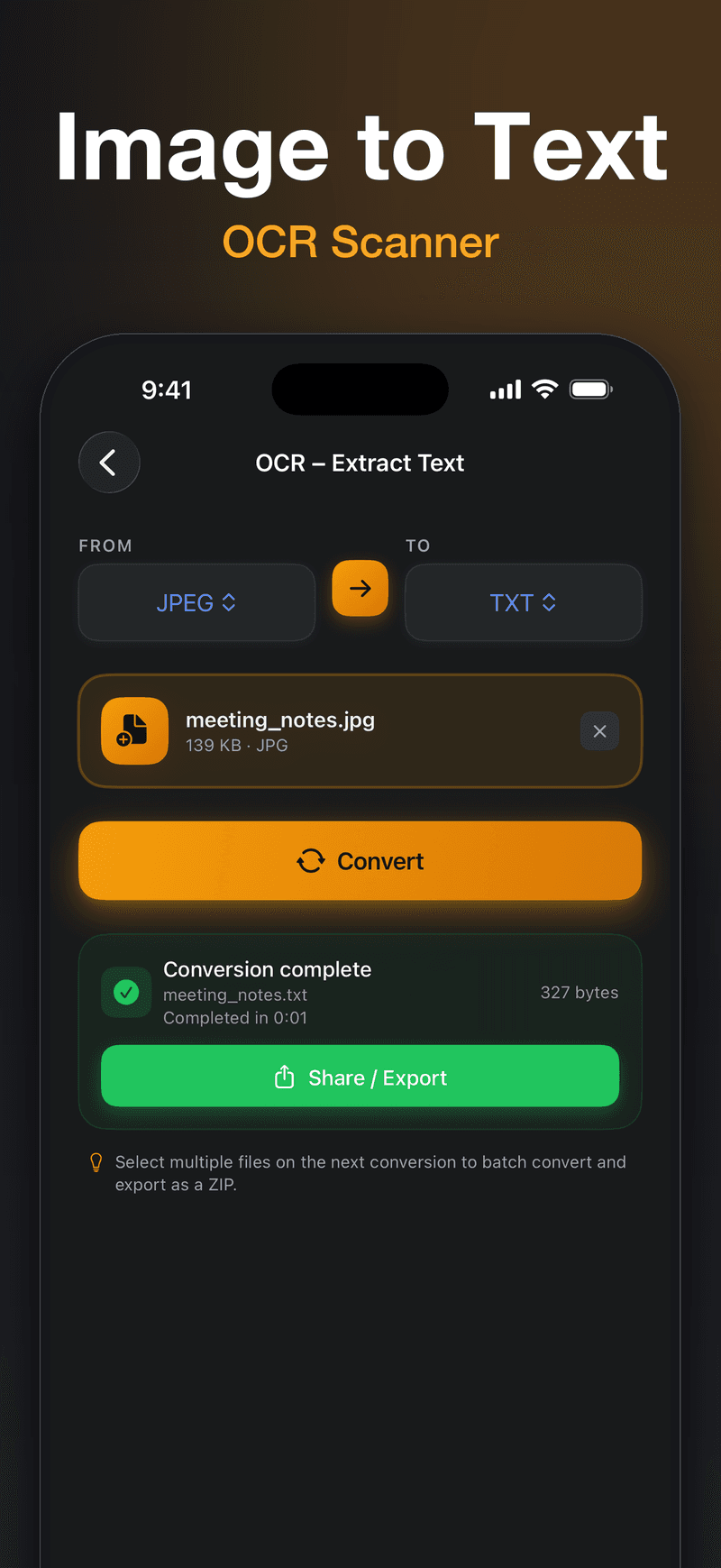
Image or PDF → text or searchable PDF
Pull text out of screenshots, receipts and scanned PDFs with Apple's on-device Vision engine.
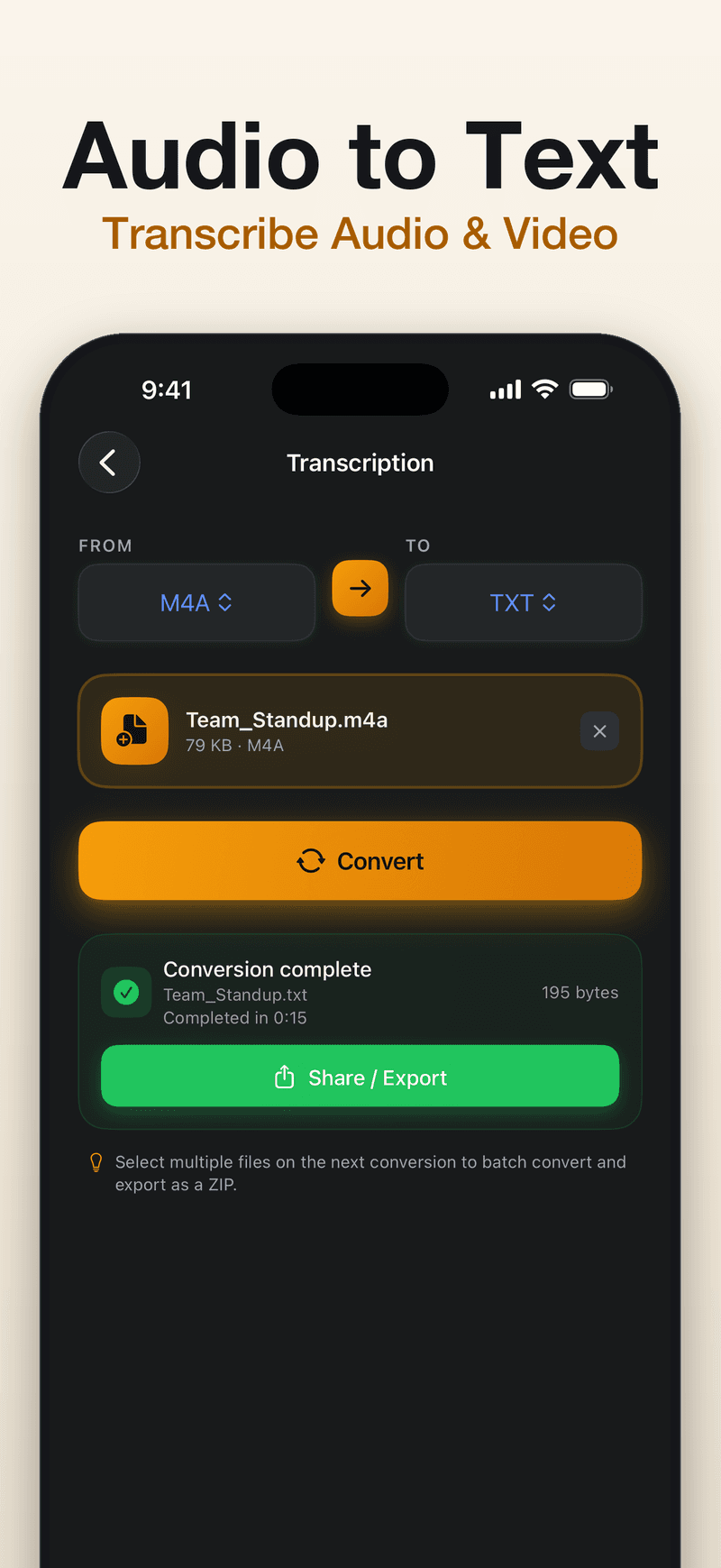
Transcription
Audio & video → TXT · SRT
Transcribe voice memos, meetings and videos into text or timed subtitles. Your audio stays on your iPhone.
Video, audio & GIF
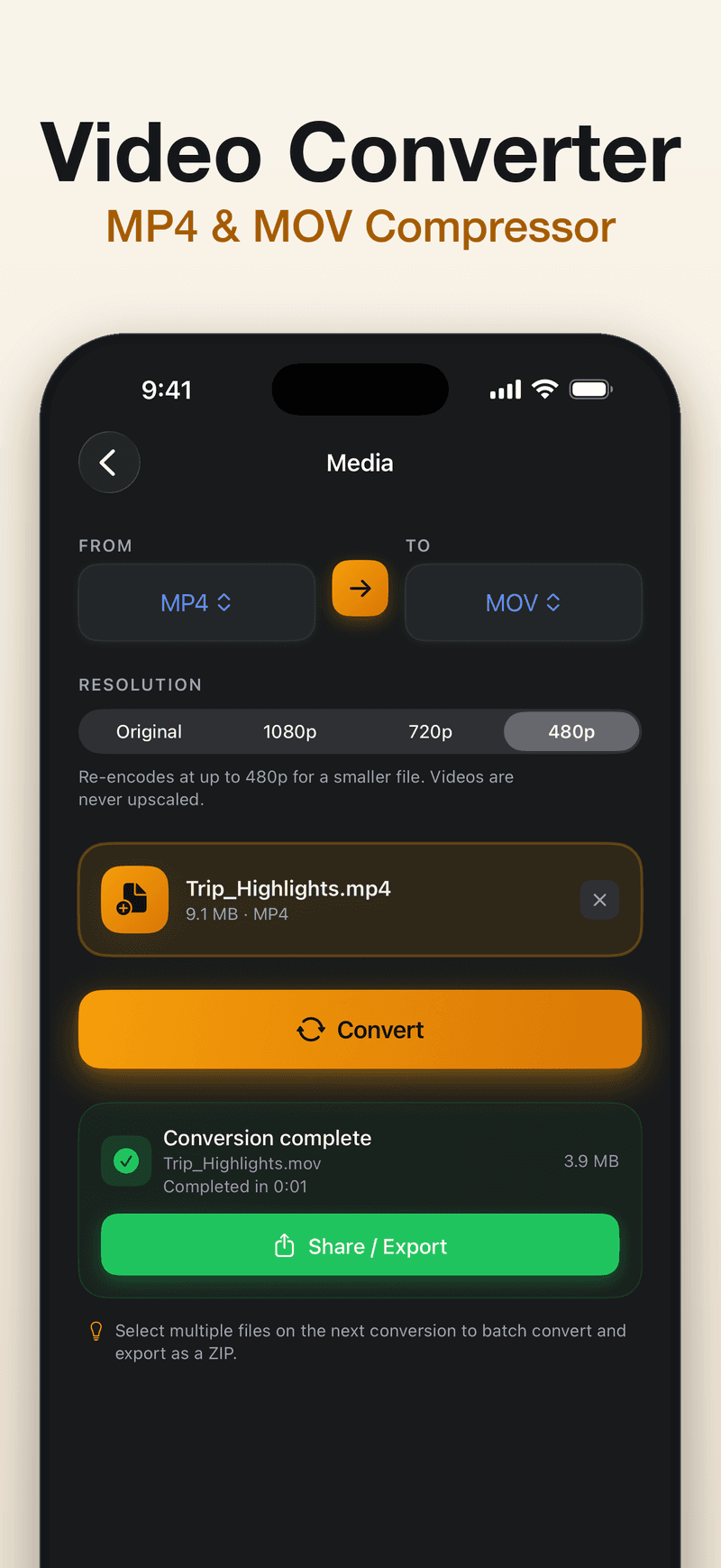
MP4 · MOV · MKV · WebM · M4A · WAV · FLAC
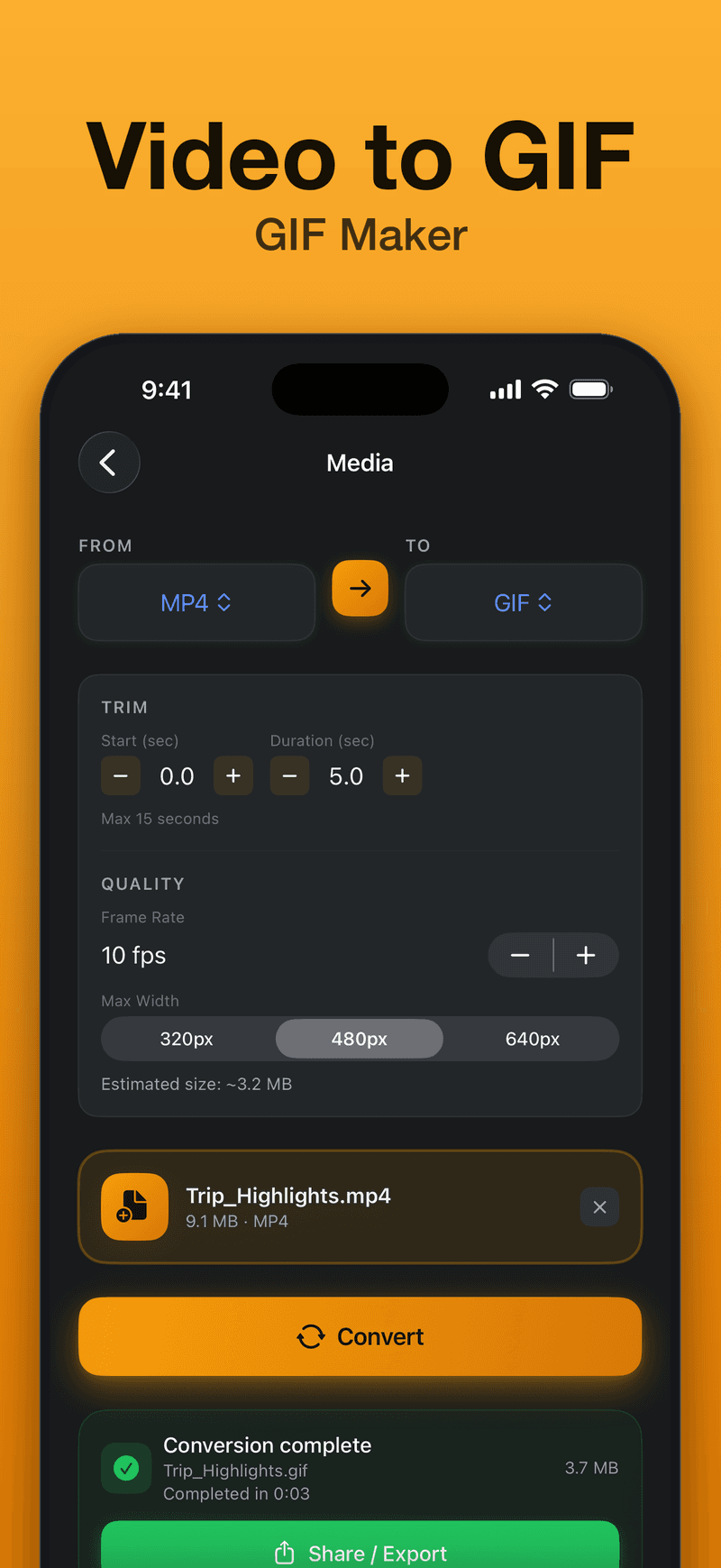
Convert and downsize video, extract audio, and turn any clip into a looping GIF.
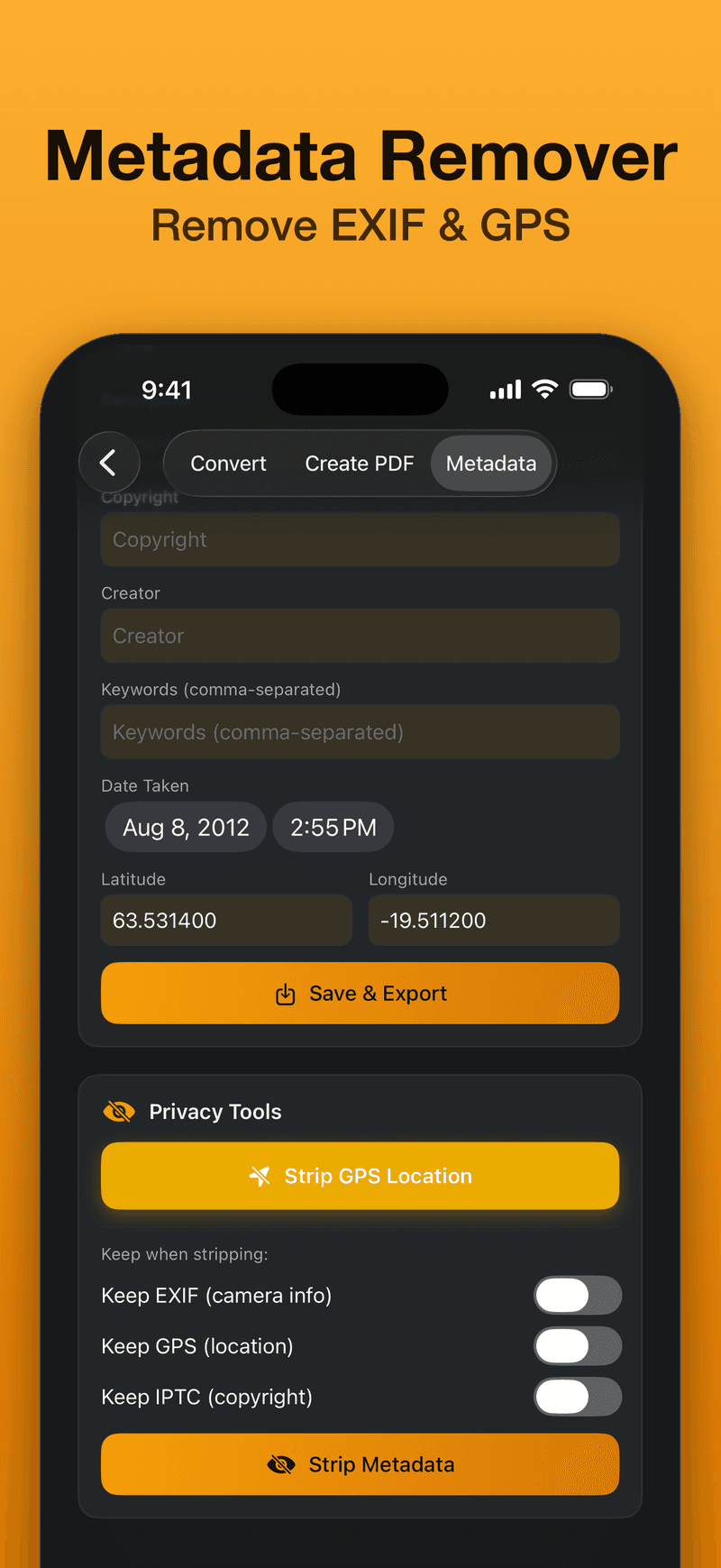
Photo metadata
EXIF · GPS · IPTC
See where and how a photo was taken, edit the details, or strip location in one tap before you share.
Documents
PDF · DOCX · EPUB · RTF · HTML · TXT
Extract text from Word and ePub files, turn text into PDF, and export contacts and calendars to CSV.
Data, Markdown & encoding
CSV · JSON · XML · YAML · XLSX · MD · Base64
Reshape spreadsheets and data files, render Markdown, prettify JSON, and encode or decode Base64 and URLs.
Archives
ZIP · RAR · 7Z
Open ZIP, RAR and 7Z archives, or bundle several files into a single ZIP.
Siri & Shortcuts
Shortcuts · Siri · Spotlight
Strip GPS, merge PDFs, make a PDF from photos or a GIF from video, hands-free or in your own automations.
Share from any app
Share extension
Convert straight from Files, Photos, Safari or Mail. Share several PDFs to merge, or several photos to make a PDF.
Batch conversion: Convert a whole set at once and get one ZIP back.
Screenshots
Privacy first
Your files never leave your iPhone
Online converters ask you to upload your documents to someone else's server. Filecraft never does.
Converted on your iPhone
Every conversion runs locally, using Apple frameworks like PDFKit, Vision, AVFoundation and Core Graphics.
Private transcription
Speech is recognised on-device only. Your recordings are never sent to Apple or anyone else.
No ads, no account
No ad SDKs and nothing to sign up for. Just open a file and convert it.
Honest about analytics
Anonymous usage signals (like which category was used) help improve the app. Never file contents or filenames.
Read the full Privacy Policy.
How it works
Three taps, no upload
Pick a file
From Files, Photos, the camera scanner, or the share sheet in any app.
Choose a format
Filecraft shows only the outputs that make sense, with options when you want them.
Convert and share
Done in seconds on your device. Save to Files or share it anywhere.
Pricing
Start free. Go Pro yearly, monthly, or once for life.
No ads and no account, on every plan.
Free
The essentials, no purchase needed.
$0
Up to 10 conversions every rolling 7 days
- All Markdown conversions
- Base64 & URL encoding
- PDF ↔ TXT
- JPEG → PNG and HEIC → JPEG
- Photos to PDF, up to 3 pages
- Photo metadata viewing
Filecraft Pro
Try free for 7 daysEvery plan unlocks the same features. Lifetime owners keep full access.
- Best value
Yearly
$14.99
per year
7-day free trial for new subscribers
Monthly
$4.99
per month
Cancel anytime in App Store settings
Lifetime
$19.99
was $24.99one time
Black Friday price through Nov 30
- Every category and all 50+ formats
- PDF compress, merge & split
- OCR and on-device transcription
- Video, audio & GIF conversion
- Metadata editing and GPS stripping
- Batch conversion and unlimited conversions
- Siri & Shortcuts actions
Prices shown are US prices. The App Store shows the price in your currency before you buy. Subscriptions renew automatically unless cancelled at least 24 hours before the end of the current period, and can be managed in your App Store account settings. See the Terms of Use.
What's new in 1.5
Released
- More ways to unlock Filecraft
- Choose a yearly plan with a 7-day free trial, a monthly plan, or a one-time lifetime unlock. Already unlocked Filecraft? Nothing changes: everything stays unlocked. Subscribers can manage their plan from Settings.
- Audio and video to text
- Transcribe voice memos, meetings, lectures and videos into plain text or SRT subtitles. Recognition runs on your iPhone, so recordings are never uploaded.
- Compress PDF
- Shrink a PDF with a quality preset and see the size saving before you export.
- Scan documents
- Scan paper with the camera from Images → Create PDF, with automatic edge detection.
- Smaller videos
- Cap video output at 1080p, 720p or 480p. The result is never larger than the original.
- Smaller PDFs from photos
- Photos to PDF now honors the quality slider. Three photos that used to make a 30 MB PDF now make about 8 MB.
- Recent conversions
- The format pairs you use most sit at the top of the Convert tab. Tap one and both formats are already selected.
- Also: WAV and AAC export work from every source, extracting audio from a silent video tells you there is no audio track, MP3 is now input only (pick M4A instead), file sizes under 1 KB show in bytes, and a What's New screen lives under Settings → About.
FAQ
Questions, answered
Are my files uploaded anywhere?
No. Every conversion, OCR scan and transcription runs on your iPhone using Apple's frameworks. File contents and filenames never leave your device.
Is Filecraft free?
Yes, Filecraft is free to download and includes 10 free conversions every rolling 7 days: All Markdown conversions, Base64 & URL encoding, PDF ↔ TXT, JPEG → PNG and HEIC → JPEG, Photos to PDF, up to 3 pages and Photo metadata viewing. Everything else unlocks with Filecraft Pro.
How much is Filecraft Pro?
Choose yearly ($14.99/year with a 7-day free trial for new subscribers), monthly ($4.99/month), or a one-time lifetime unlock ($19.99 through Nov 30, normally $24.99). These are US prices; the App Store shows your local price before you buy. All three unlock the same features.
I already bought the lifetime unlock. Do I have to pay again?
No. Earlier lifetime purchases keep full access to everything, including new features. If Pro doesn't appear on a new device, use Restore Purchases in Settings.
How do I cancel a subscription?
Subscriptions are managed by Apple. Open Settings → your name → Subscriptions on your iPhone, or the App Store account page, and cancel at least 24 hours before the current period ends. You keep access until the end of the period you paid for.
Does it work offline?
Yes. Conversions don't need a connection. Transcription uses on-device speech recognition only, so it works offline on supported languages and devices.
Can I use it from other apps?
Yes. Share files to Filecraft from Files, Photos, Safari, Mail and any app with a share sheet. Share several PDFs to merge them, or several photos to make a PDF. Common actions are also available in Shortcuts and Siri.
Does Filecraft collect any data?
Filecraft sends anonymous usage signals (like which category was used) to TelemetryDeck and anonymised purchase events to RevenueCat. No file content, filenames or personal data are ever included. The privacy policy has the details.
More answers on the support page.

Convert any file. Nothing uploaded.
Free to download. Try it on the next file someone sends you.
Download on theApp Store